01
Your day, at a glance.
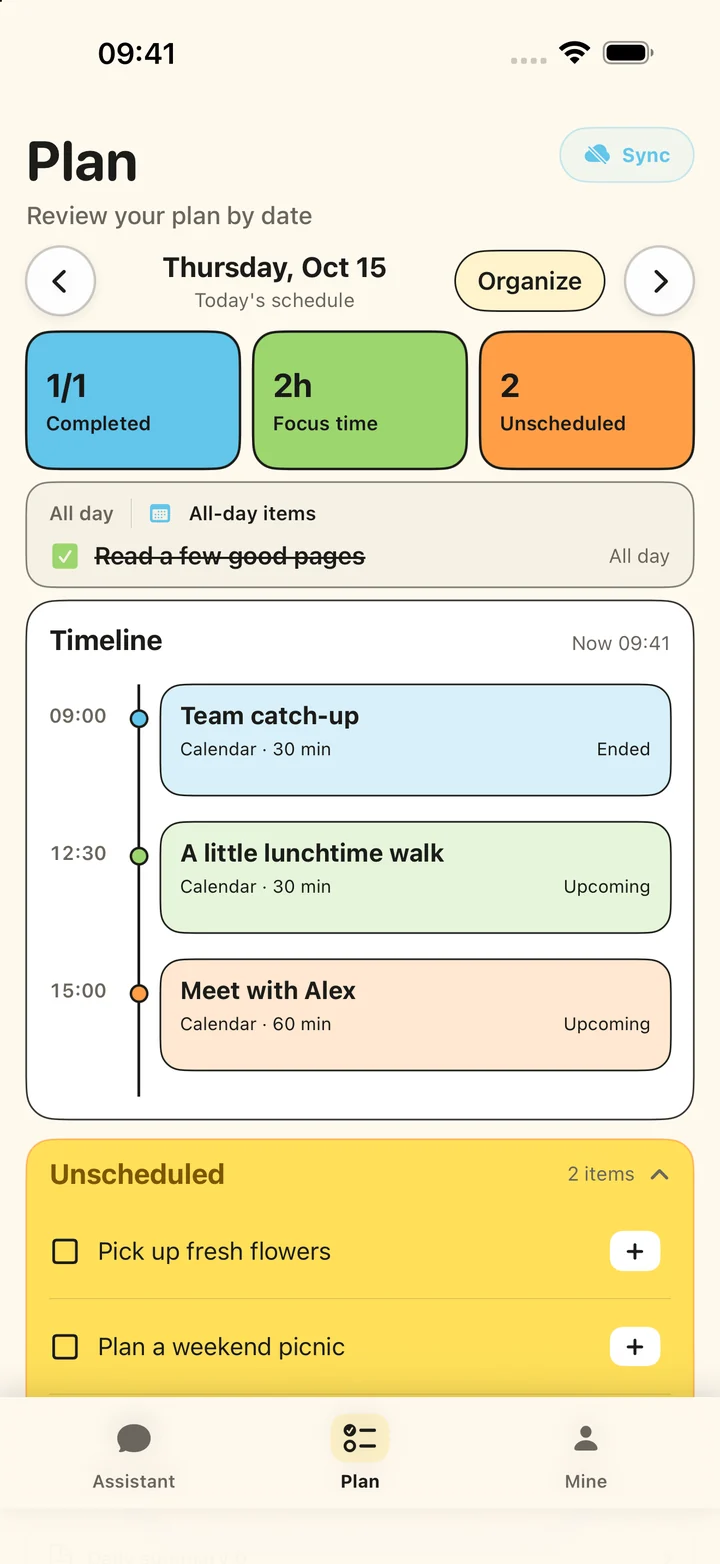
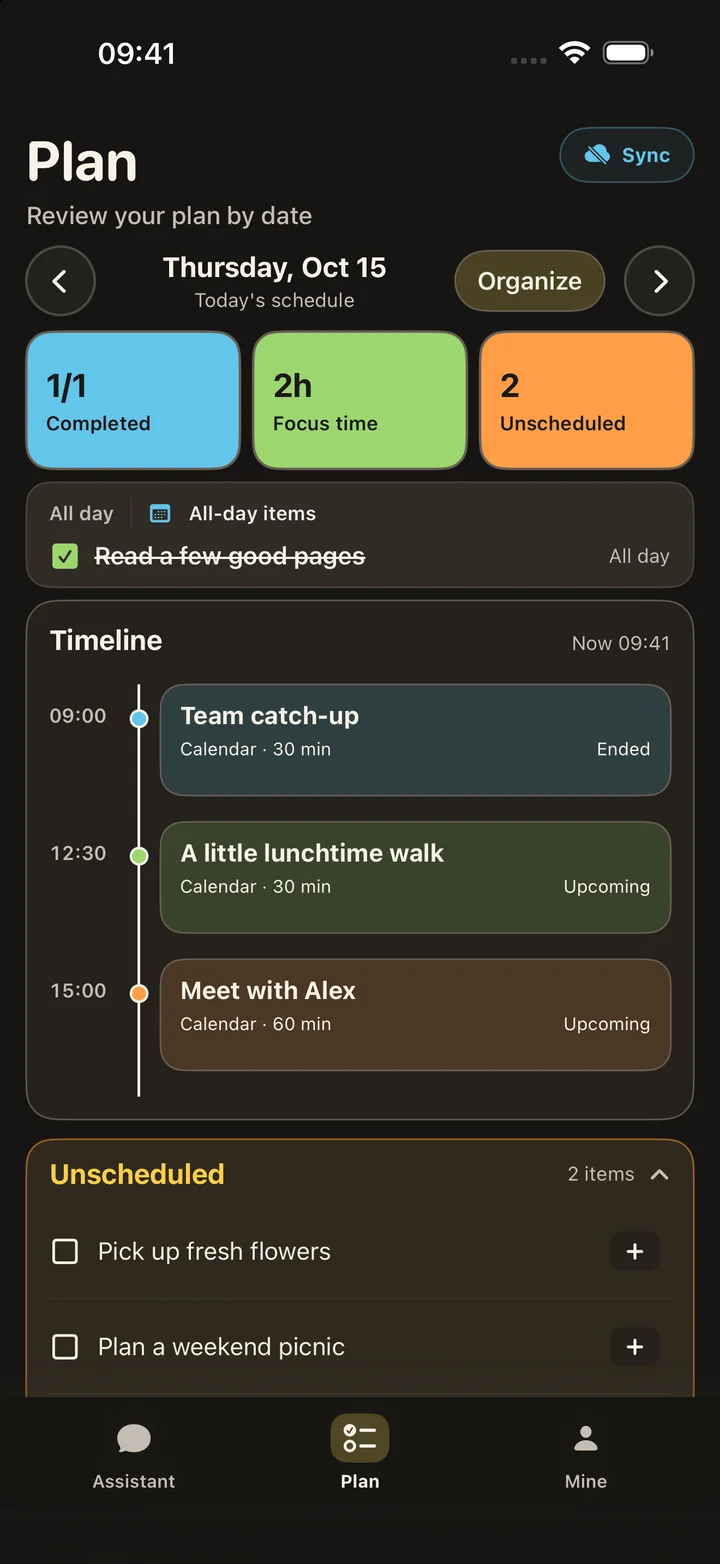
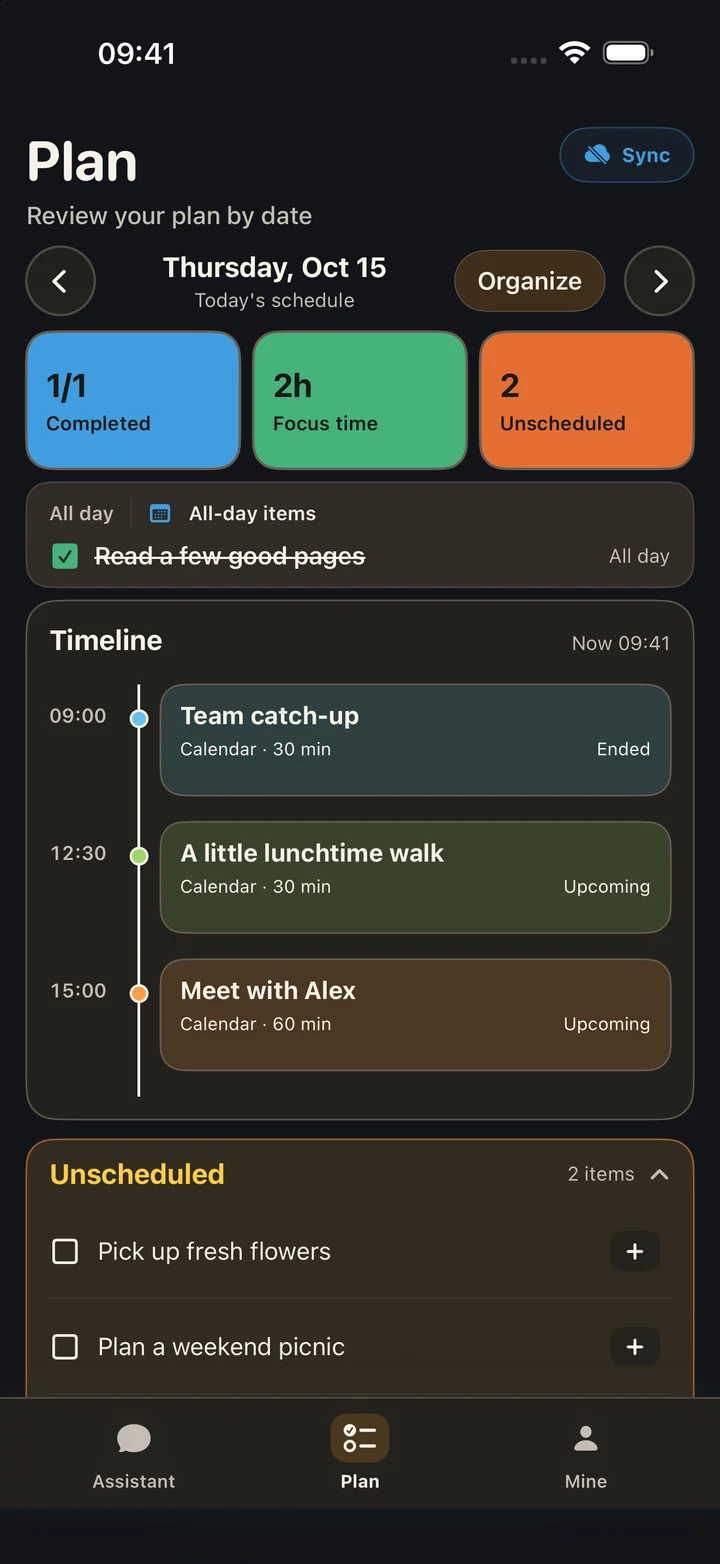
Browse your timeline, all-day events and unscheduled todos by date in Plan.
 Smart Planner
Type or speak your plans. Review AI-generated events and todos, then save to Apple Calendar and Reminders. See your schedule, unscheduled tasks and daily summaries in one place.
Free: 3 AI parses per calendar month · Resets on the 1st
Requires iOS / iPadOS 17.0 or later
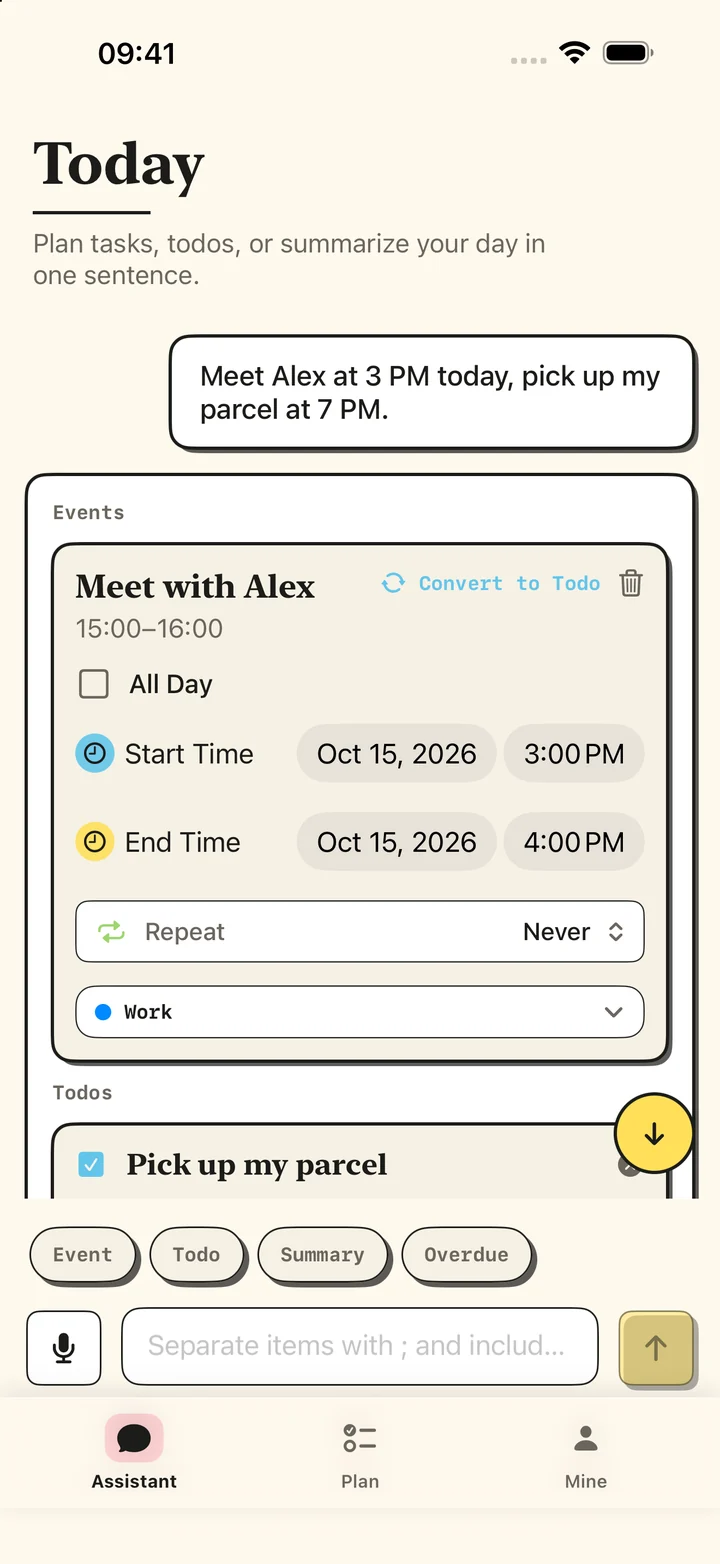
Capture ideas in Assistant, see your day in Plan, and manage preferences in Mine.
Browse your timeline, all-day events and unscheduled todos by date in Plan.
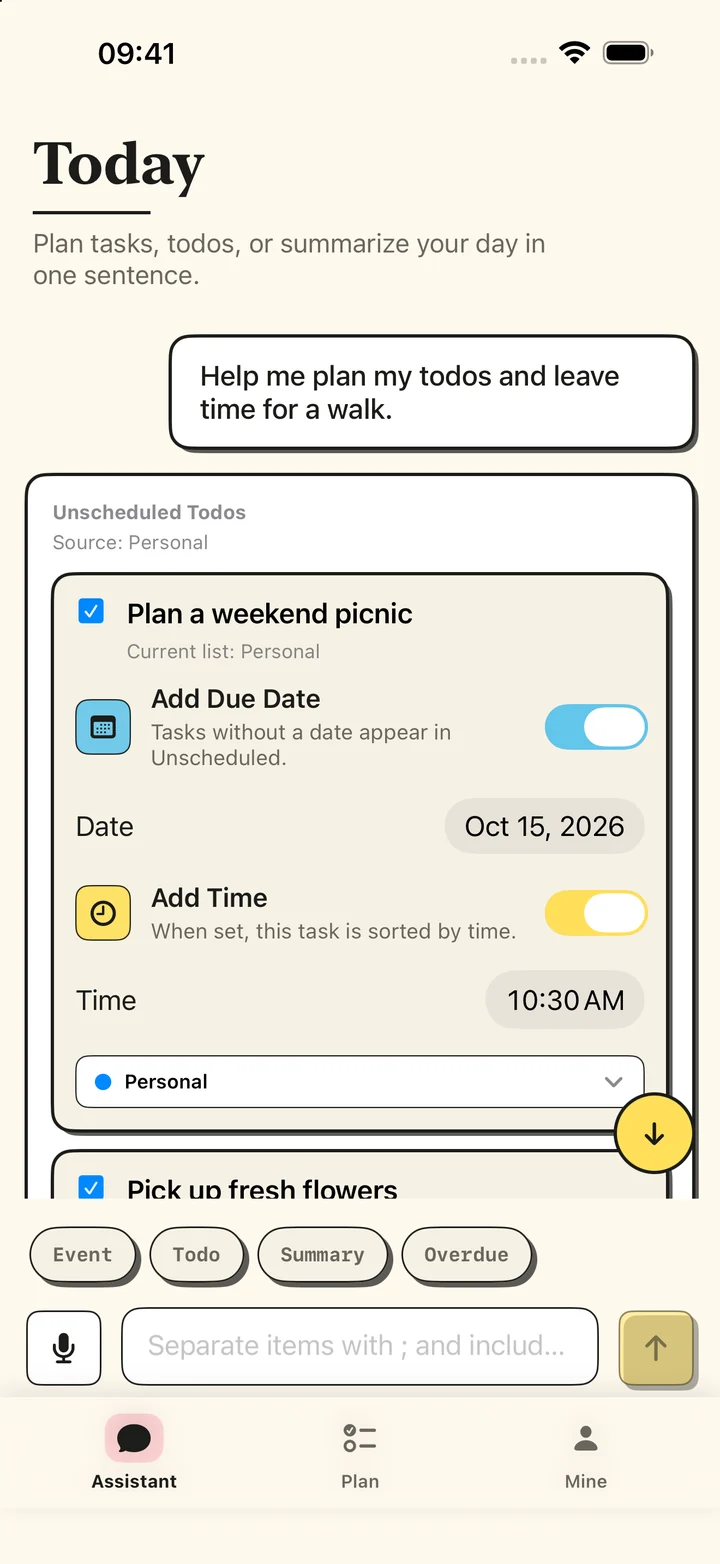
Let AI suggest a time, then review it. Set dates and times separately, or keep a todo undated.
Turn speech into text, review or edit it, then send when you are ready.
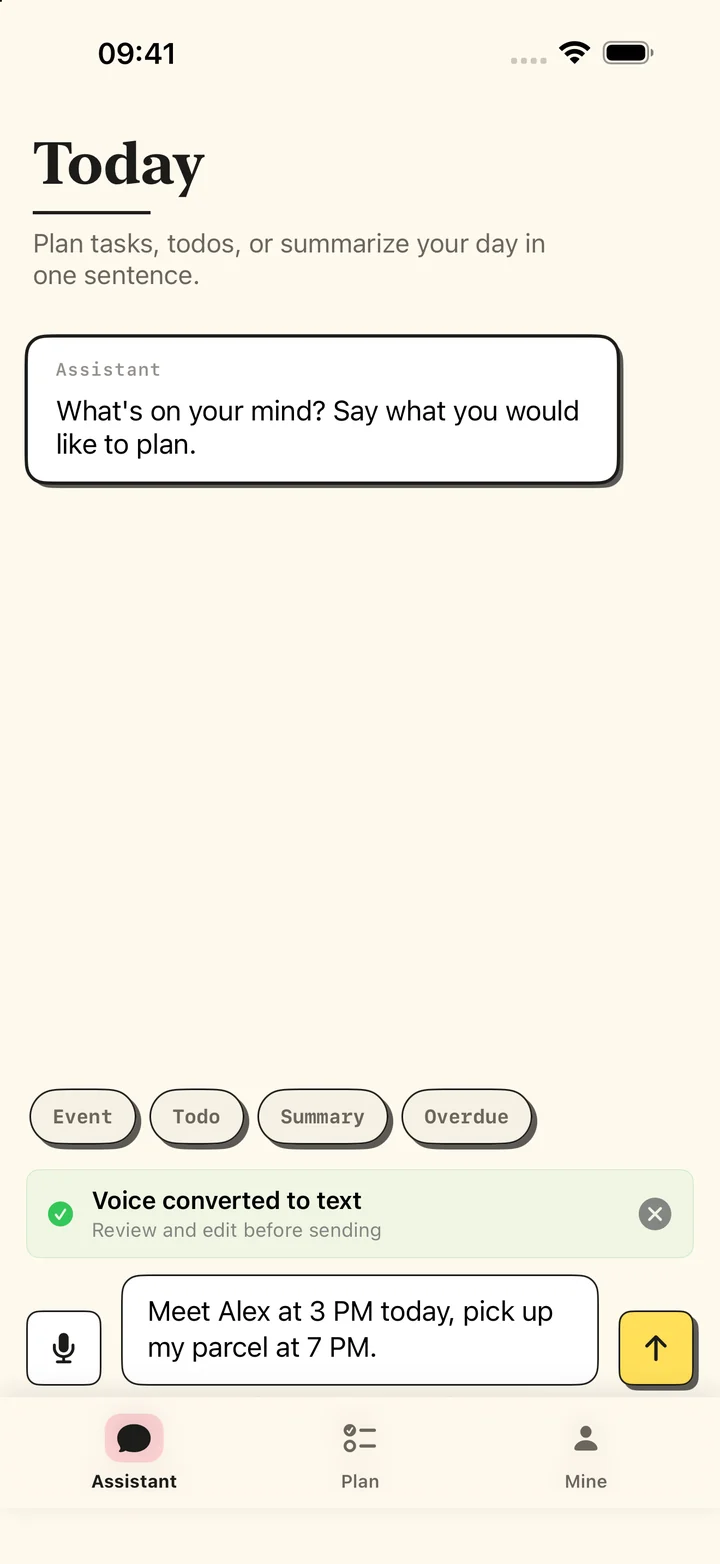
Choose a calendar or reminder list before saving. Keep managing items in Smart Planner or Apple’s apps.
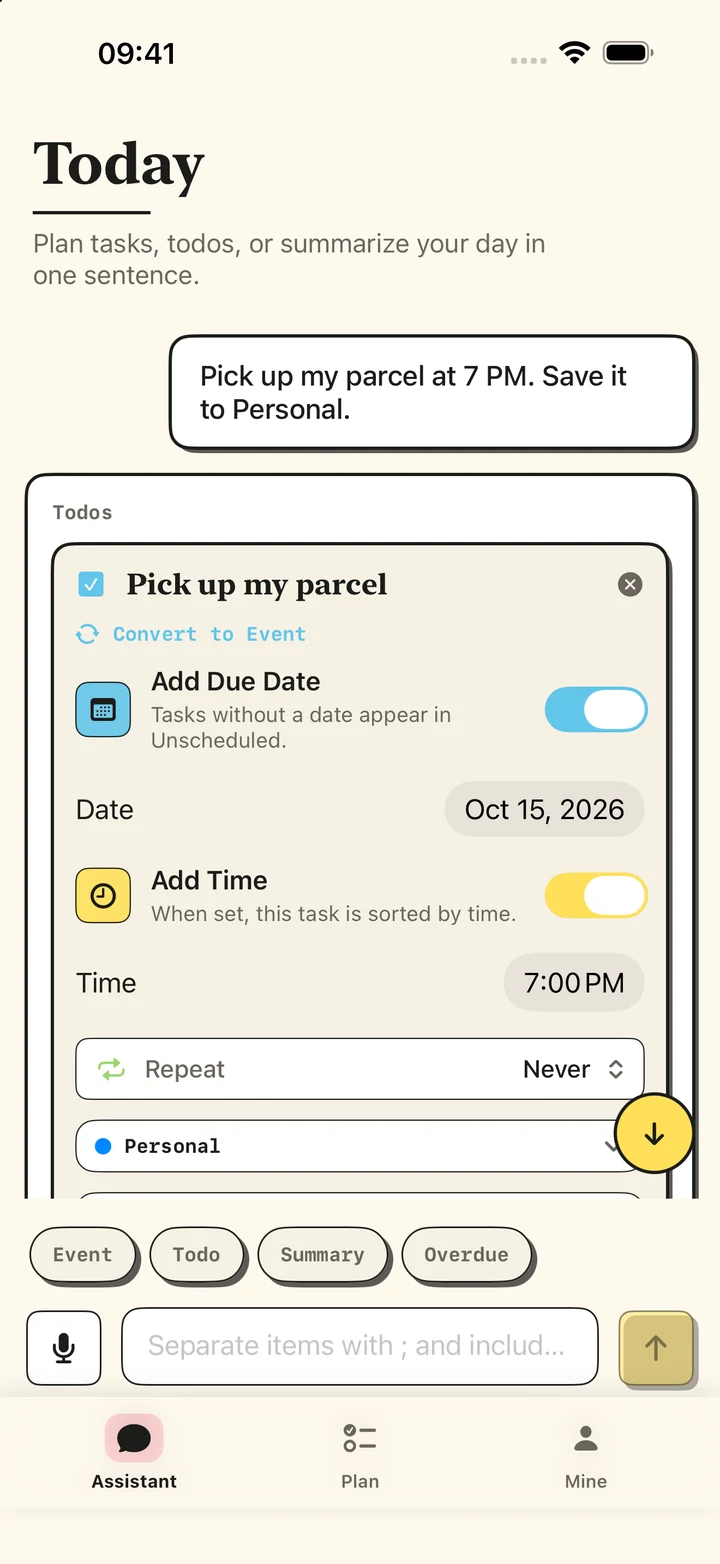
Actual app interfaces with fictional sample schedules. The voice example shows the transcript review state.
The same plan, a different mood. Paper Pop and Soft Aura each support light and dark appearances.
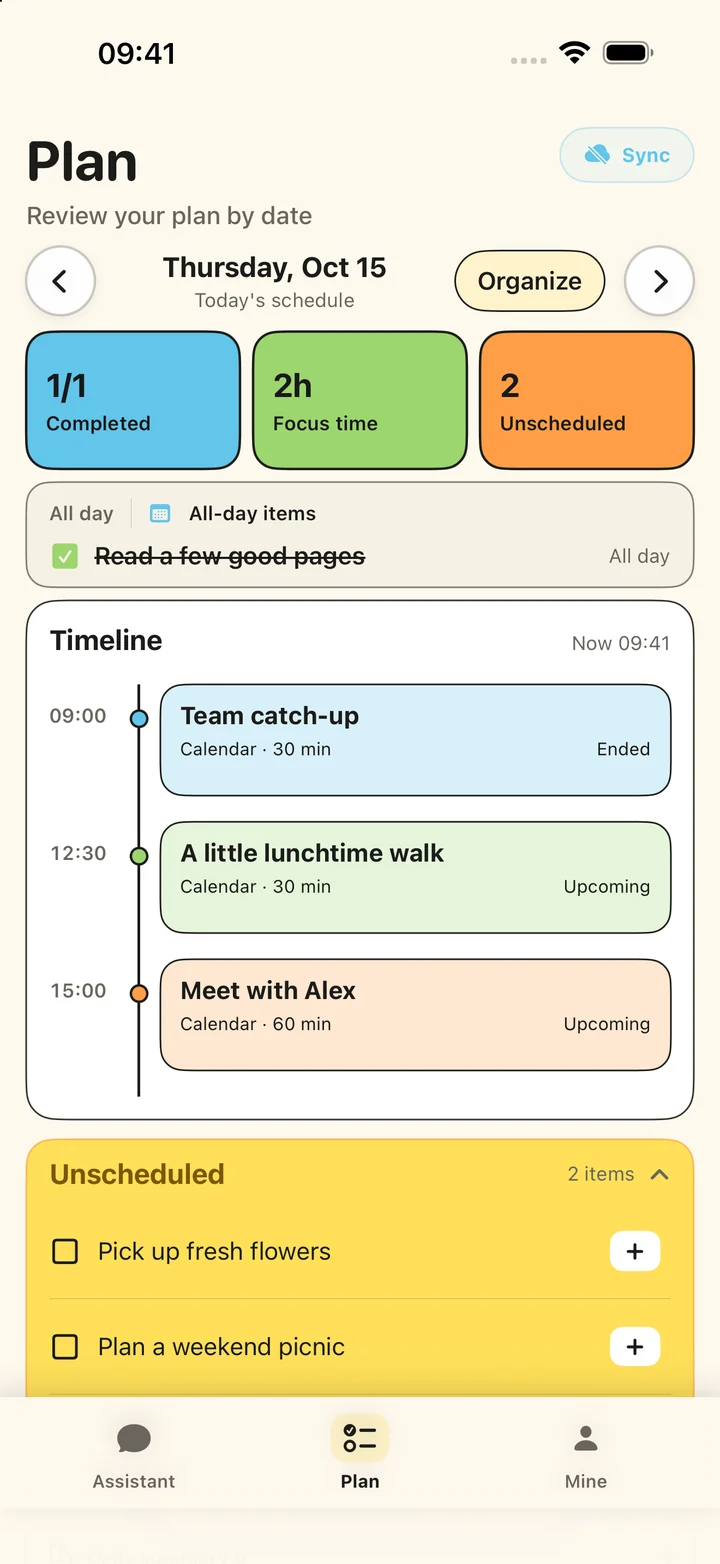
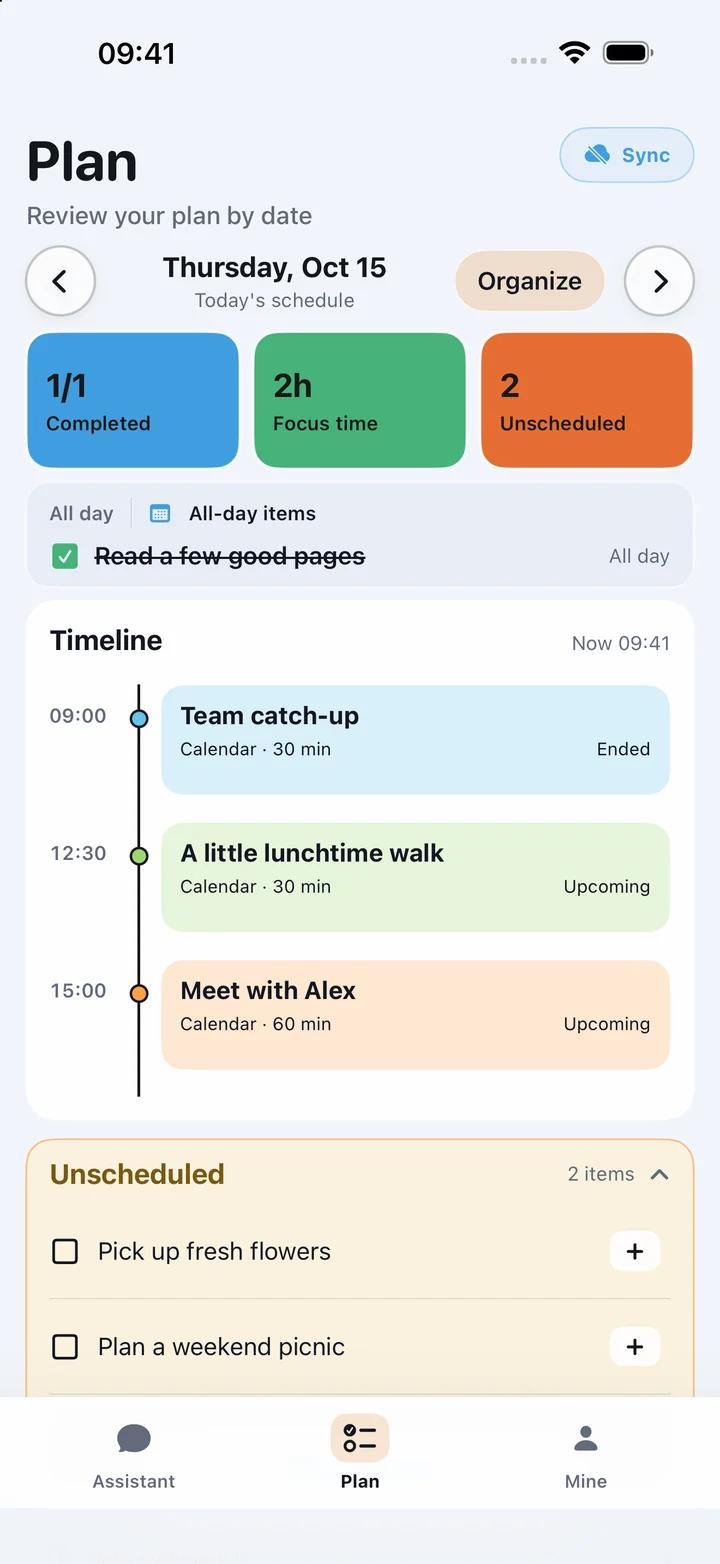
Try natural-language creation, then choose the AI parsing allowance that fits your day.
AI parses · Per calendar month
AI parses · Monthly / Yearly / Lifetime
Updating preserves this month’s usage. If you have used 3 or more parses, your remaining allowance is 0. Your free allowance resets next calendar month, or you can upgrade to Pro for unlimited parsing.
Type or dictate your events and todos, then review your words.
Check the recognized events, todos, dates and lists.
Manage the result in Smart Planner or Apple's apps.
Calendar and reminder access is used to provide the features you choose. AI requests send only the input and relevant schedule context required for the requested planning or summary operation.
Read the privacy policy →